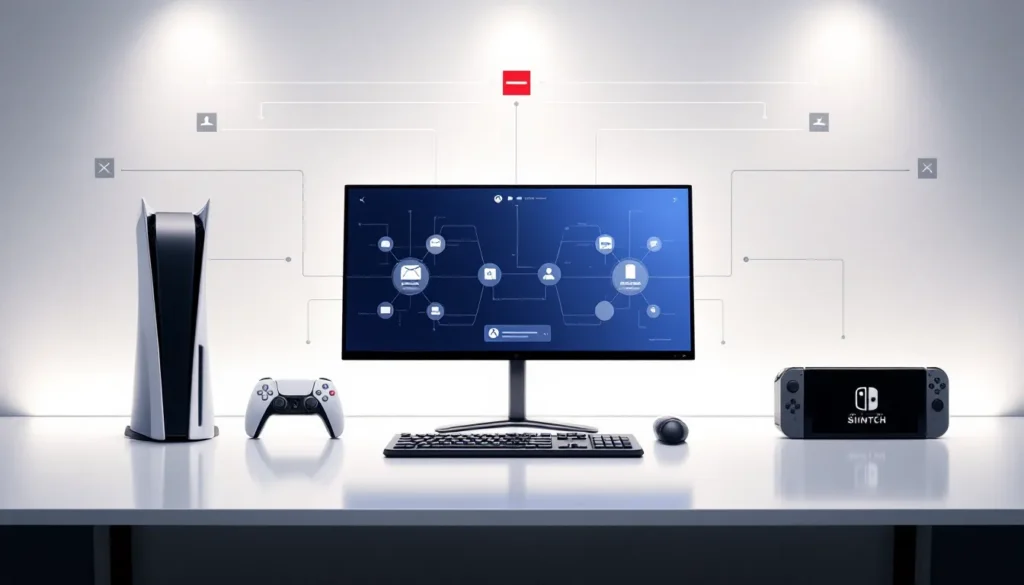
If you’re bouncing between platforms, switching from PlayStation to PC or bringing your Switch adventure to Xbox, you’ve probably wondered whether Hogwarts Legacy lets you carry your progress across devices. The short answer? Not really, and it’s a bummer for players who want seamless cross-save functionality. Unlike some modern AAA titles that support cloud sync across platforms, Hogwarts Legacy doesn’t offer true cross-save features that let you start on one console and pick up exactly where you left off on another. That said, there are workarounds and platform-specific solutions worth knowing about. This guide breaks down what’s actually possible, what’s not, and what you can do if you’re determined to play Hogwarts Legacy across multiple systems.
Table of Contents
ToggleKey Takeaways
- Hogwarts Legacy does not support cross-save functionality, so you cannot transfer your save file from PlayStation to Xbox, PC, or Nintendo Switch.
- Each platform offers its own isolated cloud save system (PlayStation Plus, Xbox Game Pass, Steam Cloud, Nintendo Switch Online) that protects your progress but doesn’t bridge between platforms.
- If you want to play Hogwarts Legacy on multiple systems, you’ll need to start a new game on each platform, as manual save transfers between different platforms are impossible due to platform-specific encryption.
- The lack of cross-save support is due to technical barriers (different save file architectures across platforms), business considerations (platform loyalty incentives), and low development priority post-launch.
- While cross-save support is unlikely for the original game, future Hogwarts Legacy sequels may launch with full cross-platform support based on growing industry expectations and player demand.
What Is Cross Save and Why Does It Matter?
Cross save (or cross-progression) is the ability to start a game on one platform, say, PlayStation 5, and resume your exact save file on a completely different platform, like PC, without losing progress. Your character level, inventory, story completion, and all cosmetics stay intact as you switch devices.
For players with multiple gaming platforms, this feature is huge. It eliminates the need to replay entire sections of a game or maintain separate progression tracks across consoles. In modern gaming, titles like Final Fantasy XIV, Destiny 2, and Fortnite support cross-save or cross-progression, setting a standard that gamers increasingly expect.
With Hogwarts Legacy being a massive single-player RPG with 40+ hours of story content (not counting side quests and exploration), the lack of cross-save support feels especially limiting. Players can’t casually move between PC for high-end graphics and Switch for portable gaming without essentially playing the game twice.
Hogwarts Legacy Cross Save Support: The Short Answer
Hogwarts Legacy does not support native cross-save functionality. You cannot take a save file from PlayStation 5 and load it on Xbox Series X, or move a PC save to Nintendo Switch. Each platform maintains its own isolated save ecosystem.
This limitation applies across all versions of the game: PlayStation, Xbox, PC (Steam and Epic Games Store), and Nintendo Switch. Avalanche Software and Warner Bros. Games haven’t announced any plans to carry out cross-save in future updates as of early 2026.
What you can do is use platform-specific cloud saves. PlayStation Plus, Xbox Game Pass Ultimate, and Steam Cloud all back up your progress within their respective ecosystems, protecting you from data loss. But these cloud solutions don’t bridge the gap between platforms, they just keep your current save safe on that specific console or PC.
Cross Save Availability by Platform
PlayStation Cross Save Features
PlayStation 5 offers built-in cloud save functionality through PlayStation Plus. If you’re subscribed (required for online play anyway), your Hogwarts Legacy save automatically uploads to PlayStation Network servers roughly every 6 hours, or whenever you manually trigger a sync.
If your PS5 fails, you can download the save on a replacement console and resume instantly. But here’s the catch: this only works within the PlayStation ecosystem. You can’t transfer that save to an Xbox or PC.
Console sharing is another option. If a friend has their PSN account on your PS5, they can play your save files, and vice versa. Still, this doesn’t constitute cross-platform save support, it’s just account-sharing within Sony’s walled garden.
Xbox Cross Save Features
Xbox Series X and Series S use Xbox Cloud Save as part of Game Pass or Xbox Live Gold. Saves sync automatically to Microsoft servers, similar to PlayStation Plus.
The advantage here is that Xbox Play Anywhere titles (games playable on both Xbox console and PC with one purchase) sometimes support cross-save, but Hogwarts Legacy isn’t a Play Anywhere title. You’ll need separate licenses for console and PC versions.
If you own Hogwarts Legacy on Xbox, your cloud saves are protected and retrievable if you get a new console. Again, you’re locked within the Xbox-PC ecosystem via Xbox app, not a true cross-platform bridge.
PC Cross Save Features
PC version handling depends on where you bought the game:
Steam: Saves are synced through Steam Cloud automatically. You can play on different PCs with the same Steam account and resume with no issues. Like console cloud saves, this protects your data but doesn’t move to other platforms.
Epic Games Store: Epic Games Launcher has a cloud save system, but it’s less robust than Steam’s. Your save is still tied to your Epic account, not portable to consoles.
Neither platform offers a pathway to console versions. You’d need to buy Hogwarts Legacy separately on PlayStation, Xbox, or Switch and start fresh.
Nintendo Switch Cross Save Features
The Nintendo Switch version of Hogwarts Legacy uses Nintendo Switch Cloud Save (requires Nintendo Switch Online subscription). Saves back up to Nintendo servers, giving you the same protection as other platforms.
But, the Switch version is significantly less demanding graphically and runs at lower frame rates than its console or PC counterparts, which affects gameplay feel. Still, many players value the portability.
Like all platforms, Switch saves don’t migrate elsewhere. Your adventure on Switch stays isolated from your PC or PlayStation progress.
How to Transfer or Sync Your Hogwarts Legacy Save Files
Native Cloud Save Options
Each platform automatically syncs saves, but you should know how to manage them:
PlayStation 5:
- Open your profile
- Navigate to “Saved Data and Game/App Settings”
- Select “Saved Data”
- Scroll to Hogwarts Legacy and you’ll see cloud save status
- Manually trigger upload/download if needed
**Xbox Series X
|
S:**
- Settings > Account > Cloud Saves
- You’ll see Hogwarts Legacy listed if save data exists
- Xbox uploads saves automatically: ensure internet is active
Steam (PC):
- Cloud sync happens automatically
- Right-click Hogwarts Legacy in your library
- Select “Properties” > “Local Files” > “Verify Integrity of Game Files” (this also checks cloud sync)
Nintendo Switch:
- System Settings > Data Management > Save Data Cloud Sync
- Toggle cloud backup on for Hogwarts Legacy
- Your save backs up daily if connected to internet
Manual Save Transfer Methods
This is where things get tricky. There’s no “copy save to USB drive and move to Xbox” workaround for Hogwarts Legacy because the game stores save files in platform-specific formats and encrypted locations.
You cannot manually transfer saves between platforms. The save file structure on PlayStation is completely different from Xbox or PC, and attempting to convert or copy them would corrupt the data or violate platform policies.
Your only real option: start a new game on another platform. Alternatively, some players who want the same experience across devices will stream their console version to their PC or phone using platforms like PlayStation Remote Play or Xbox Game Pass Cloud Gaming, but that’s remote play, not actual cross-save.
Internal links can help you understand more about Hogwarts Legacy features. For instance, learning about how Hogwarts Legacy works on various platforms gives you deeper insights into what to expect on each system.
Why Hogwarts Legacy Lacks Full Cross Save Support
The reasons are both technical and business-related.
Technical Barriers:
Each platform, PlayStation, Xbox, PC, and Nintendo Switch, uses its own save file architecture, encryption standards, and storage protocols. Adapting Hogwarts Legacy’s save system to work across all four would require significant backend development. The game would need a dedicated server infrastructure to normalize save data across platform differences, adding cost and complexity.
The Switch version also has drastically reduced graphical quality and performance compared to PS5 or PC, making a true cross-save experience problematic. A save optimized for PS5’s hardware wouldn’t perform the same on Switch, potentially causing glitches.
Business Considerations:
Publishers and platform holders (Sony, Microsoft, Nintendo) prefer siloed ecosystems that encourage platform loyalty. Cross-save diminishes the friction of leaving an ecosystem, if you can play your same save on competing hardware, you’re less locked in.
Also, supporting cross-save would require negotiating agreements with all parties: Warner Bros., Avalanche Software, and each platform holder. That’s complex licensing territory.
Development Priority:
Single-player RPGs like Hogwarts Legacy don’t have the same urgency for cross-progression features as live-service games (Destiny 2, Final Fantasy XIV). Avalanche Software moved on to other projects after launch, meaning new features like cross-save aren’t high priority.
Sources like IGN’s reviews and guides have covered these limitations extensively, highlighting that cross-save was never planned at launch and remains absent.
Alternative Solutions for Multi-Platform Play
Playing on Different Consoles Without Save Transfers
Accept the reality and pick a platform to “main.” Most dedicated Hogwarts Legacy players commit to one version and experience the full story once. If you want variety, rotating between platforms means experiencing the story multiple times, which some players genuinely enjoy for role-playing different character builds.
But, if you want some continuity, you can note your character choices, playstyle, and progress mentally or via screenshots. When starting on a new platform, recreate the same character design and make similar story choices. It’s not true progression, but it maintains narrative consistency.
Season Pass content and cosmetics (wand handles, robes, house scarves) are tied to your Hogwarts Legacy license, not account. If you own the season pass on PlayStation, you’d need to buy it again on Xbox or PC. Same applies to pre-order bonuses.
Using PlayStation, Xbox, or Steam Cloud Storage
These aren’t cross-save solutions, but they matter:
-
Cloud backup protection: All three platforms protect your progress from hardware failure. If your console dies, download your save on a replacement or borrowed device and resume instantly.
-
Account sharing: PlayStation and Xbox allow limited account sharing on another console. You can’t share save files cross-platform, but you can access them on a friend’s system if you’re signed in.
-
Game Pass cloud gaming: Xbox Game Pass Ultimate includes cloud gaming. You can play Hogwarts Legacy on your phone or tablet, but that’s streaming your console’s gameplay, not moving your save file.
For PC players specifically, Steam’s cloud sync is arguably the most reliable of the three systems. It’s hard to lose a save on Steam unless your account is compromised.
Learning about how to optimize your experience with proper setup can help you make the most of whichever platform you choose.
Common Issues and Troubleshooting
Save File Corruption or Loss
Corrupted saves are rare but happen. Signs include:
- Game won’t load your save
- Character missing, levels reset, or stuck in an impossible location
- Frequent crashes when loading
Fix attempts:
- Force cloud sync: Delete the local save on your device, then re-download from cloud storage
- Verify game files (on PC, right-click in Steam > Properties > Local Files > Verify Integrity)
- Update the game to the latest patch (balance updates sometimes fix save-loading bugs)
- Contact PlayStation Support, Xbox Support, or Steam Support with your save file details
Unfortunately, if your cloud backup is also corrupted, recovery options are limited. Neither platform guarantees save recovery after a certain period.
Syncing Problems and How to Fix Them
Save won’t upload to cloud:
- Ensure you’re subscribed to PlayStation Plus (PlayStation), Xbox Game Pass Ultimate, or have online connectivity
- Check available storage on your device
- Restart the console and re-launch Hogwarts Legacy
- Manually trigger a sync from the system settings
Cloud save won’t download:
- Verify stable internet connection
- Ensure the new device has sufficient storage
- Log in with the same account that created the save
- Restart the device and try again
Multiple save versions causing confusion:
If you’ve got multiple characters on one platform and they’re all in cloud storage, the system defaults to the most recent. To manage multiple saves:
- PlayStation: You can see timestamps of each save in the Saved Data menu
- Xbox: Sort saves by date in Cloud Saves menu
- Steam: Saves typically overwrite unless you manually back them up to separate folders
Patch compatibility issues:
After major updates, occasionally old save files don’t load immediately. Avalanche Software usually patches this within a week, but if it persists, uninstall and reinstall the game completely.
If you’re unsure about your save status across platforms, resources like RPG Site’s guides often include troubleshooting sections for popular RPGs.
Future Outlook: Will Hogwarts Legacy Get Cross Save?
As of March 2026, there’s no official announcement from Avalanche Software or Warner Bros. Games about cross-save implementation.
But, several factors could shift this:
Growing industry expectation: As more games adopt cross-save (even story-driven single-player titles), pressure on publishers to offer it increases. Players increasingly view it as a standard feature rather than a luxury.
Sequels and franchise growth: If Warner Bros. pursues a Hogwarts Legacy sequel or expanded universe game, they might carry out cross-progression from day one, retroactively supporting the original.
Live service components: Hogwarts Legacy isn’t live-service now, but if Warner Bros. ever adds significant ongoing content (battle pass, seasonal events), they’d likely need cross-progression infrastructure.
Regulatory push: The UK and EU are increasingly scrutinizing platform exclusivity and data portability. Future regulations might mandate cross-save options, forcing developers’ hands.
The most realistic scenario? Cross-save doesn’t arrive for the original Hogwarts Legacy, but the sequel (if it happens) learns from this feedback and launches with full cross-platform support. For now, players are stuck making a platform commitment.
Features like beast collecting and vivarium setup are better enjoyed when you’re fully invested in one platform, since you won’t be juggling multiple savefiles.
Conclusion
Hogwarts Legacy doesn’t have cross-save support, and that’s unlikely to change. You can’t move your save between PlayStation, Xbox, PC, and Switch, each platform maintains its own isolated ecosystem.
What you can do: use platform-specific cloud saves (PlayStation Plus, Xbox Game Pass, Steam Cloud, Nintendo Switch Online) to protect your progress from loss, choose one platform as your main experience, and accept that switching systems means starting fresh.
If multi-platform play is critical for you, consider whether Hogwarts Legacy’s single-player story is worth multiple playthroughs, or commit to the platform that offers your preferred balance of visuals, performance, and convenience. The experience is excellent on all systems, but your progress won’t follow you between them.
For die-hard fans wanting advanced tips on potions and combat or romance storylines, focus on mastering one platform’s version. That’s where you’ll get the most out of your Hogwarts journey.